
If you are anything like me, every time a new AI model is announced you feel a little jolt. A new model appears. People test it. Experts argue about what it can and cannot do. The access rules change, the prices change, the safety rules change, and somewhere underneath it all is the quiet worry that we are falling behind (again).
Claude’s Fable 5 large language model, released on June 9, 2026, by Anthropic, was a good example. It was billed as a more powerful model for complex, long-running tasks, and I will admit I was impressed by what it could do.
My excitement didn’t last long. Within a few days the story had become less about genealogy and more about access, safeguards, and national-security questions that, at least as of June 15, 2026, are still being worked out.
That makes for an interesting news story. But for those of us working on our family history, the most valuable part of what I learned after a few days with Fable will matter long after the headlines fade.
The thing that makes Fable so powerful for genealogy can be done on any language model.
Claude’s Fable Model Was Never Meant for Us
There is another reason not to lose sleep over the Fable controversy. Fable wasn’t built for everyday genealogists.
Fable was built for professional users who get enough value out of every single prompt to justify the high cost of this new model. It costs roughly twice as much to use as Opus, the very capable model that sits just below it. And, even at twice the price, Anthropic had already announced that the way we traditionally pay for large language model use was going to change for Fable, from a flat monthly subscription to paying for it each time we use it.
For a professional who gets paid to use their AI tools, that math makes perfect sense. For most genealogists, working on a hobby budget, it was never going to become part of their toolkit.
The good news is, we can get most of the benefits of Fable on any model if we learn how to prompt a new way.
Genealogists Wear Lots of Hats, So Let’s Prompt That Way
Before I show you how to sprinkle a little Fable pixie dust on the AI tools you already have, it helps to remember how genealogists solve hard problems in the first place: with thorough, exhaustive, and (occasionally) exhausting research. Almost never by finding one magic record.
When we work on a difficult genealogy case, we gather records and read them carefully. We transcribe them with care. We compare the names, dates, places, witnesses, neighbours, and occupations we find across all of them. We challenge ourselves to determine whether the evidence supports or refutes the hypothesis we are working on. And if we are being brutally honest with ourselves, we ask the hard question: what other conclusion could explain the evidence we’re seeing?
That is part of what makes genealogy so satisfying (and fun). It is not simply a matter of finding a record with the right name on it. We are trying to work out whether the record belongs to the right person, in the right place, at the right time, in the right family. That takes judgement, and it takes more than one kind of work.
If I Were Hiring Help
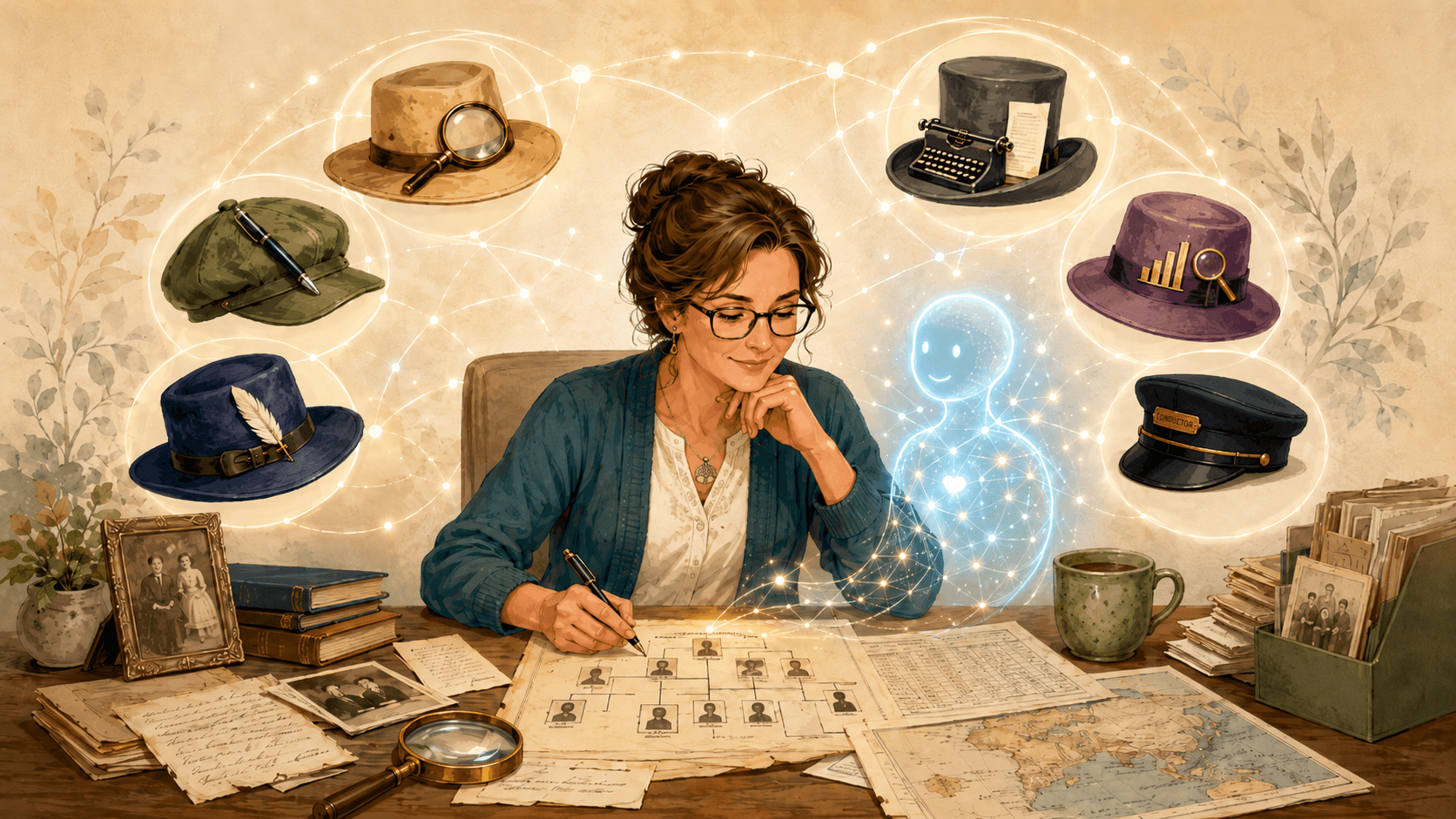
If I were looking for help with a project like that, I wouldn’t hire one person and ask them to do everything. I would want a specialist for each kind of work: someone to transcribe a difficult document, someone else to analyze what it says, a historian to provide relevant context for the time and place, someone to write the findings up clearly, and someone to proofread the results to make sure that they were both legible and accurate.
And then, above all, I would want a lead researcher: someone to set the objectives for the research, assign everyone their work, review what they all produced, weigh the evidence they provided, and confirm the conclusion meets the standard I had set; all before it reached my desk for my personal review.
Five specialists, overseen by a lead researcher. This is the picture I keep in mind when I work with AI.
Building on Prompts You Already Know
If you have spent much time with AI over the past few years, you have probably heard one of the most durable pieces of advice: give your model a role. For example: “Act as a historian.” “Act as a photo analyst.” “Act as a professional genealogist.”
Assigning a role to your chatbot has been common practice for years, and I regularly use this technique, sometimes out of habit, but mostly because it works.
When you tell the AI who to be, you focus it. A vague question invites a vague answer, and a clear role gives the model a point of view, a vocabulary, and often a standard to work towards. It also encourages you to speak to your AI using words that you would use when speaking to a person in a particular role. It’s a win both ways.
Following the role, I also tend to include the following elements in my prompt: a goal, a task, and finally a format: what you are trying to achieve, what you want it to do, and how to format the response it gives back.
From One Role to a Whole Team
Prompting an entire research team’s efforts is just the next step along the same road. Instead of describing the one person you want help from, you describe the whole team, each member with a different role, all working towards the same goal. And most importantly, you give one of them the job of making sure that everyone else does their job. The lead researcher defines the work for the others, then reviews what they produce, before any of it comes back to you.
That review is the part that matters. Asking the AI to check its own work, rather than trusting its first reply, is one of the most useful ways we have of catching a chatbot’s confident, tidy answers that so often turn out to be wrong.
When you prompt this way, you can guide the model that you have to do a better job, even if that model isn’t Fable.
Putting the Team to Work on a Locality Guide
Let’s put a whole team to work on something genealogists do all the time: building a locality guide.
If you have not built one before, a locality guide is a sort of cheat sheet for a place and a time. It pulls together what was happening there, what records were created, which of those records survive, and where they are kept today. A good one saves you hours, because it tells you where to look before you start looking. It is also a perfect job for a research team, because it is really three kinds of work at once: understanding the place, understanding its history, and understanding its records.
It is also exactly the kind of task where an AI will let you down if you trust its first answer. Ask a model about the records of a county and it will write you a confident, tidy guide, and somewhere in that tidy guide it will invent an archive that does not exist, give the wrong start date for a register, or put a courthouse in the wrong town. That is not a reason to avoid AI here. It is the reason the lead researcher matters.
The Team for a Locality Guide
The research team I assemble in a prompt depends on the job. For a locality guide I use a Locality Scout to map what matters about the place and period, a Historian to explain the history that shaped the records, a Records and Repositories Specialist to track down what records exist and where they are kept, and a Report Writer to assemble it all for me in an easy-to-understand report.
And, as always, the Lead Researcher sits above them, checking each specialist’s work before it passes on. None of this means there are little people hiding inside the chatbot. It is a thinking framework, a way of reminding both you and the AI that careful research is several separate jobs, and that one of those jobs is checking all the others.
The Prompt
You can paste the prompt below into your favourite chatbot to see how this kind of prompt works differently than what you’re used to. Feel free to change the county and time frame in the first paragraph to one that you’re interested in searching.
Act as the lead researcher of a small genealogy research team, and build me a locality guide. My research objective is to prepare for research in Wellington County, Ontario, for roughly 1840 to 1880, with a focus on Irish Catholic farming families.
Your team has four specialists:
A Locality Scout, who lays out what matters for this place and period: the county and township boundaries and any changes to them, who settled there, the main religions and languages, and the kinds of records a place like this would have produced.
A Historian, who explains the history that shaped those records: settlement and migration, the local economy, and any events that would have created or destroyed records.
A Records and Repositories Specialist, who lists the specific record types and collections for this place and period, says which ones survive, and names where each is held today, including both online and physical repositories.
A Report Writer, who organizes everything the team confirms into a clear, usable guide.
Put the team to work one specialist at a time, in this order: Locality Scout, then Historian, then Records and Repositories Specialist, then Report Writer.
As the lead researcher, do not simply accept each specialist’s work. Before you pass it on, check it carefully, on the assumption that a first draft contains mistakes: a boundary or date that is wrong, a record collection that does not exist, a repository in the wrong place, or a claim made more confidently than the facts support.
If you find a problem, send the work back to that specialist with specific notes, and keep sending it back, as many rounds as it takes, until the issues are resolved. Tell me briefly each time you send something back, and why, so I can follow the verification rounds.
Be strictest with the Records and Repositories Specialist. For every record collection and repository, mark it as either “confirmed” or “to verify,” and never present a record or an archive as certain unless you are genuinely confident it is real. It is better to tell me you are unsure than to invent something that sends me hunting for a record that was never there.
When the team is finished, give me the final guide, and add a short list at the end of the items I most need to verify for myself before I can rely on them.
What Happened When I Ran It
I ran the prompt on Claude Sonnet 4.6, a capable and inexpensive model that is available to everyone, including people on the free Claude plan. Here is what happened.
The lead researcher did not wave the team’s work through. It sent every specialist back at least once, and it sent the records specialist back three separate times before it was satisfied.
Some of what it caught was exactly the kind of mistake that has cost me a wasted afternoon. The first draft of the records section pointed me to the wrong diocese for the county’s Catholic registers. The lead researcher stopped and noted that the Diocese of Hamilton was not created until 1856, so anything earlier would have been in a different diocese, Toronto. The corrected guide told me to check both, and why. Had I trusted the first answer, I might have gone hunting in the wrong archive for every record before 1856.
It also noticed that one township had been listed twice, corrected a county founding date that was a year off, and moved a township back where it belonged after the first draft had assigned it to the wrong county. And in a moment I especially liked, it caught one of its own specialists stating a newspaper’s founding date as settled fact when that date had never been confirmed, and made it flag the claim for me to check rather than present it as certain.
That last part is the whole point. Every record and repository in the final guide came back marked either “confirmed” or “to verify,” and the guide ended with a short list of the things I most needed to check before relying on them. It was not a perfect answer, and it did not need to be. The same free model that made those slips is the one that caught them, and the best part is that I never had to be the one to spot them. The prompt set the lead researcher loose on the team’s work, and it ran the challenge rounds itself, three of them on the records specialist alone. Where it was still unsure, it told me so plainly.
This is a research assistant I can actually work with: not an oracle, but an honest one.
And it cost me nothing. That is this whole post in a single afternoon’s work. You do not need the most powerful model in the world. You just need to give the model you already have a better job.
Challenges to Be Aware Of
No technique is free of catches, and this one has a few worth mentioning.
It’s the Same Model Checking Itself
The biggest potential gotcha is inherent in the idea itself. When we ask the AI to act as a team, those team members are just the same model talking to itself. The lead researcher reviewing the records analyst is not a second, wiser mind. It is the same tool wearing a different hat, which means it can still rubber-stamp its own mistake with great confidence.
Use the Best Model You Have
This approach genuinely helps, but it is not a guarantee, and less capable models do it less reliably. So, when you do this kind of work, reach for the most capable model you have access to. It does not have to be the best model in the world. It just has to be the best one within your reach, and whatever you already have is the right place to start. There is no sense pining for the perfect tool, when there is a perfectly good tool right in front of you.
It Takes More Time
There is also a time cost. A prompt that sets up a whole research team takes longer to write, and runs more slowly, than a prompt that asks the AI to do one job. For a simple, direct task, this approach is overkill.
A Draft, Not Proof
And the most important catch of all: AI research notes prepared this way, or by any other method, remain drafts, not proofs. This technique is a way to organize your thinking and to direct the AI to do more unattended work before you get involved. It doesn’t create “evidence,” and it does not relieve you of the need to verify the sources, the reasoning, or the results. Treat the AI as a helpful, and increasingly capable, assistant, but never as an authority.
Some Technical Details
The AI world has all kinds of jargon for the steps we are doing here: multi-step reasoning, agentic workflows, self-checking loops, and a term you have probably already met, hallucination, which is just a polite word for an AI stating something false with complete confidence.
These terms are accurate enough, but I do not think they are the best place for a family historian to start. The plain version is friendlier and just as true: ask the AI to work like a small research team, and guide the lead researcher to check the team’s work before it reports back.
This is the Fable pixie dust I talked about earlier, and here is the happy surprise: it was never really Fable’s to sprinkle. Fable just made what we were already doing a little easier to do. But we don’t have to wait for Fable, or any model like it, to work that way. We can prompt the tools we already have to do it now.
The “Research Team” Idea Is Portable
Best of all, you can use the team approach with ChatGPT, Claude, or Gemini, or with whatever comes next. The model names and features will keep changing, the prices will keep changing, the subscription rules and the access rules will keep changing. The habits that you learned in traditional genealogy research will always remain: define the question, find the sources, pull out the facts, understand the context, weigh the evidence, resolve the conflicts, write the conclusion, proofread the result, and keep on looping through the steps until you have results you can confidently stand behind.
The same shape works for any job, not just a locality guide. Keep the lead researcher in charge, and swap in the specialists the task needs: a Transcriber and a Records Analyst to read a single document, a DNA specialist to make sense of a match, a Historian to explain a place and time. The team changes to fit the work; the habit of checking the work does not.
That is just good genealogy. And today’s AI tools give you a fast way to assemble the right team for the job, and to put a careful reviewer in charge of it.
Since writing this, I have put that claim to a real test: a volunteer indexing project that had stalled for a decade, six frontier-era police ledgers, and nearly eighteen thousand index records that needed untangling. To see how this approach holds up against a genuinely tough problem, read the story in Using Fable 5 to Untangle a Tough Archiving Problem.
Over to You
Have you tried giving an AI tool a role, or asking it to check its own work before you trusted the answer? If you put together a research team for your work, which roles did you include? And if you have a case where a second, more careful pass caught something the first answer missed, I would love to hear about it. Leave a comment below and let’s compare notes.
For Further Reading
- Elizabeth Shown Mills, Evidence Explained: the standard reference on citing and evaluating genealogical sources, and the discipline this whole approach borrows from.
- The Genealogical Proof Standard, from the Board for Certification of Genealogists: a plain framework for deciding when the evidence is strong enough.
- Research Like a Pro, by Diana Elder and Nicole Dyer: a step-by-step guide to a repeatable research process, from framing a clear research question through to writing up the findings. If the “research team” idea in this post appeals to you, this book is the human version of the same discipline.
- The Genealogical Research Assistant (GRA), by Steve Little: a free, GPS-aligned research prompt that Steve maintains and updates on GitHub. Find it in his Open-Genealogy repository: github.com/DigitalArchivst/Open-Genealogy.
- The Family History AI Show: the podcast I co-host with Steve Little, where we work through how AI is changing genealogy, one practical conversation at a time.

Best most understandable article I have read on use AI for genealogy research. Thank yiu
Martha,
Thanks very much for your kind words. I really appreciate the feedback!
Wow, this is amazing to this very amateur genealogist! What a universe is opening up. Thanks so much for sharing your approach.
You’re very welcome Janet. I hope you have fun playing with this approach. Plus, I have to admit, it’s kind of fun watching the AI tussle back and forth with itself trying to get everything right.
Mark, Thank you for this thought provoking guide to using AI. I never thought of it as my “team”. I can’t wait to give it a try on my next project.
You’re very welcome. Good luck with your next project!
Mark, that graphic is just wonderful — it captures exactly what this work feels like.
We’re both building on the same RLP with DNA methodology, so it’s fascinating to see how differently we’ve approached the AI side of it. Where you assemble a team inside a single prompt, I’ve been building a persistent ecosystem of specialized Claude Projects, each purpose-built for one step of the process: Tree Diagrammer, Source Analyzer & Citation Writer (reads and writes to Airtable using Evidence Explained formats), Timeline Producer, DNA Analyzer & Table Generator, DNA Segment Analyzer & Map Producer, Overall Reviewer, and some specialized tools such as Irish Townland Land Analyzer.
What persists across projects is how to do the work, not the family data. Each new research project gets its own fresh Airtable base, and Claude reads from and writes directly to that base throughout the project. My “tools” carry forward automatically from one research project to the next.
I’ve also had to map out carefully what Claude can actually interpret and how to get content in — PDFs, record images, screenshots, CSV exports, video transcripts from DNA webinars, slide decks from experts’ presentations, pasted text, etc. And for some content I ask Claude to go find it, then review and approve what gets added to the knowledge base.
Two approaches, same methodology, same instinct. I’m enjoying contemplating the pros and cons of your approach vs. my ecosystem approach using Claude to automate the RLP w/DNA methodology. I definitely prefer your “specialist” nomenclature to my “tools.” And, I could beef up my locality tool more in line with your locality specialist.
I’d love to hear your thoughts about your single mega-prompt approach vs. my ecosystem approach. Thanks for sharing your expertise with all of us!
Colleen,
Both approaches are very useful. Yours is almost always where I start when I’m building a new workflow. I work on each task separately first, doing my best to get them each dialed in. Then, once all of the components are working well, I start tacking them together into a multi-step workflow. So, I don’t consider our two approaches as different, rather, as complementary approaches at different points in time.
There is a technical challenge that you might encounter in implementing them in separate “projects” though. Depending upon how you did that, the separate specialists that you’ve already built might not all be able accessible at the same time. If you’re doing this on Claude Web, projects are essentially independent of each other, so you’d have to rebuild them all into a new project in order to have a new research lead be able to direct and manage them all. Claude Cowork and Claude Code provide more flexibility using a feature called “Skills.” Skills are used to make specialists, like the ones you are building, available across all of your projects.
And thanks for the comment on the graphic. I’m really happy with how it turned out. When I saw the “hat rack” concept start to take shape in my post, I knew which way I wanted to go with the cover art. 🙂
Mark.
Thanks for all your hard work developing such a comprehensive guide to using what we already have! I look forward to using this multi-expert approach to get a better grasp of some interesting DNA data.
AI-Enhanced DNA research has so many fun challenges. Please let me know what you try and how it goes!
Thank you for this article! I’ve been working on my research for about 20 years now and just this year decided to give a try at using Claude. This has been so much fun. I’m in process of creating a tree with tracking program for my research including writing books about my lines using Claude. I’ve heard others talk about using Agents, but I just could not wrap my head around what they were talking about. I figured it was a Claude CoWork thing that seems out of my abilities. But, your article has shown me how to try this. I cannot wait to try your prompt and see what results I can see. Thank you, again!
Daphne,
You’re very welcome. It’s unfortunate that the lingo in the AI field keeps getting in the way of genealogists trying this stuff out. But, genealogist to genealogist, it’s pretty easy to understand. Pick your team, put them to work, and get them to check and fix it before they give you the results. This stuff really works today! Oh ya… and it is an agentic workflow with inner and outer adversarial loops. But, did we really need to know that? 🙂
Glad you’re having fun!
Mark.
I adore this “team approach,” Mark. Dang. Game changer (yet again).
A few tweaks I quickly realized were necessary (my personal preference):
1. Added: “Do not rely on training data.”
I’ve found that any locality guide I create for a Nebraska location includes lots of defunct casde.unl.edu links, even if the chatbot tells me it’s confirmed all of them today.
2. Added: “Exclude Wikipedia and social media websites.”
I know, I know, there are fabulous blogs and *mostly* reliable Wikipedia pages, but more often than not, I find them leading me down empty rabbit holes. YMMV.
3. Added: “Once we’ve finished our discussion of the resulting work, place the word DRAFT at the top of your final report.”
This allows me to open the final version in Google Docs and continue editing as needed. I don’t remove “DRAFT” until I’m confident it’s ready to export as a PDF.
Thanks for sharing this, kind sir. It’s a gem!
Cinda,
Great additions, all. Source selection, formatting guidance, and hallucination management. Great foundation to build a Skill with. Nice!
Mark.
I tried your prompt to make a locality guide for Carleton County, Ontario. I really liked the process and I knew of a resource it left out. I am happy with the result and being a Word doc, I can add to it, if I find more resources.
Lisa,
Great point. I don’t think a locality is ever done!
Mark.
Great article! I have been working on my prompt for a locality guide since Saturday (great minds). I am going to incorporate the “team” mentality to mine, and see how it goes. It may wind up being a mash up of your prompt and my prompt to get the ultimate Locality Guide prompt.
Linda,
Great idea! What kind of things do you put in your locality guide prompt? I’m always looking for new ideas. 🙂
Mark.
I did add a “World Class Editor” role after the writer, to verify the spelling, grammer, punctuation, layout etc.
Once it’s done, I will definitely share it with you.
Great addition! I’d love to see it when you’re done.
Mark.
Amazing Mark. I am very excited to do this. Thanks much!
Mark, I just received a notice that Fable 5 is free through July 12!!